Difference Between Mean and Median in Trading Context
See how Mean and Median differ with a simple NQ example, why news outliers skew the average, and when to pick Mean, Median or Both in Statistical Mapping°.
Difference Between Mean and Median in Trading Context
When analyzing trading data, such as points gained on the NASDAQ (NQ) during sessions, both the mean and the median provide valuable insights but serve different purposes:
Mean (Average)
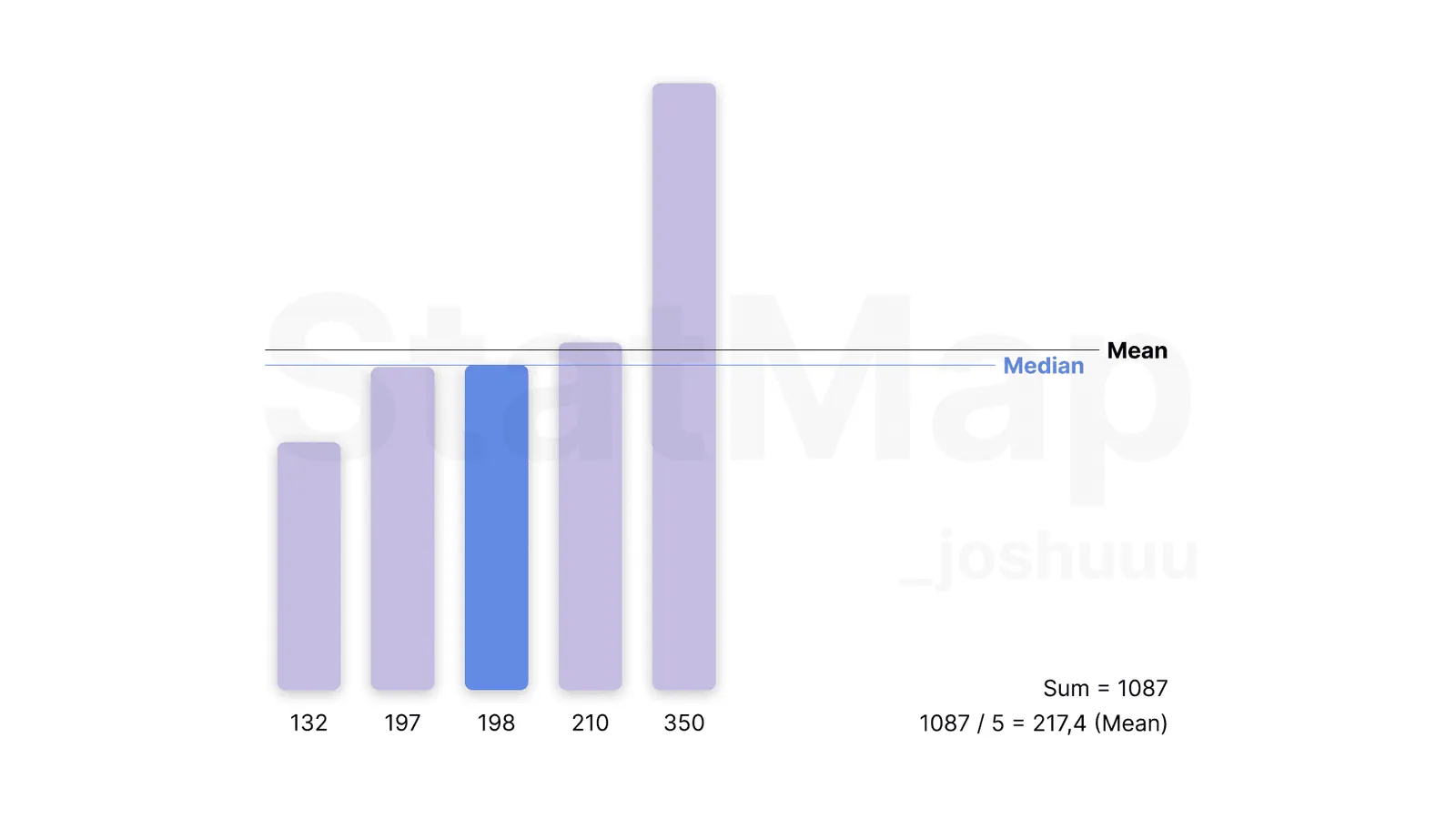
The mean is calculated by summing all values and dividing by the number of data points. In the example:
- Values: 132, 197, 198, 210, 350
- Sum = 1087
- Mean = 1087 / 5 = 217.4
The mean reflects the overall average movement but can be skewed by outliers such as the 350-point move, which might result from high-impact news events like Non-Farm Payrolls (NFP), Federal Open Market Committee (FOMC) announcements, or Consumer Price Index (CPI) releases.
Median
The median represents the middle value in a sorted data set. For the same example:
- Sorted Values: 132, 197, 198 210, 350
- Median = 198
The median provides a more balanced view, unaffected by outliers, making it particularly useful when extreme events occur, such as unexpected news-driven spikes.
Key Takeaway for Traders:
- Use the mean for a general sense of market behavior, but recognize that it may overstate the typical range during volatile periods.
- Rely on the median for a clearer picture of the usual market movement, as it minimizes the influence of one-off events.
In this example, the 350-point outlier (potentially caused by news) inflates the mean, while the median remains closer to the normal range of movement.
Mean, Median or Both in Statistical Mapping°
In Statistical Mapping° you choose between Mean, Median and Both under Calculation Method. Both draws a range box from the Mean level to the Median level. Where to find the option is shown in the StatMap° v4 Settings Reference, and whether to measure in points or percent is covered in Measuring Ranges: Points or Percent?.
Put it on your chart
Get Statistical Mapping° and Statistical Volatility° for TradingView, or ask StatMap AI about settings and setup.
Related articles
What is Statistical Mapping?
Statistical Mapping° projects five levels from each period's open to show where highs and lows tend to form. Learn the levels, sessions and liquidity.
What is Statistical Volatility?
Statistical Volatility° highlights unusually large candles as displacements and shows the most active times of day in its Graph Pane.
Measuring Ranges: Points or Percent?
Points or percent? See how a 1,000-point move on NQ shrank from 32% to 5% over the years and which Calculation Unit fits your market.